Graylog Configuration
Configure Graylog to Receive Event Logs
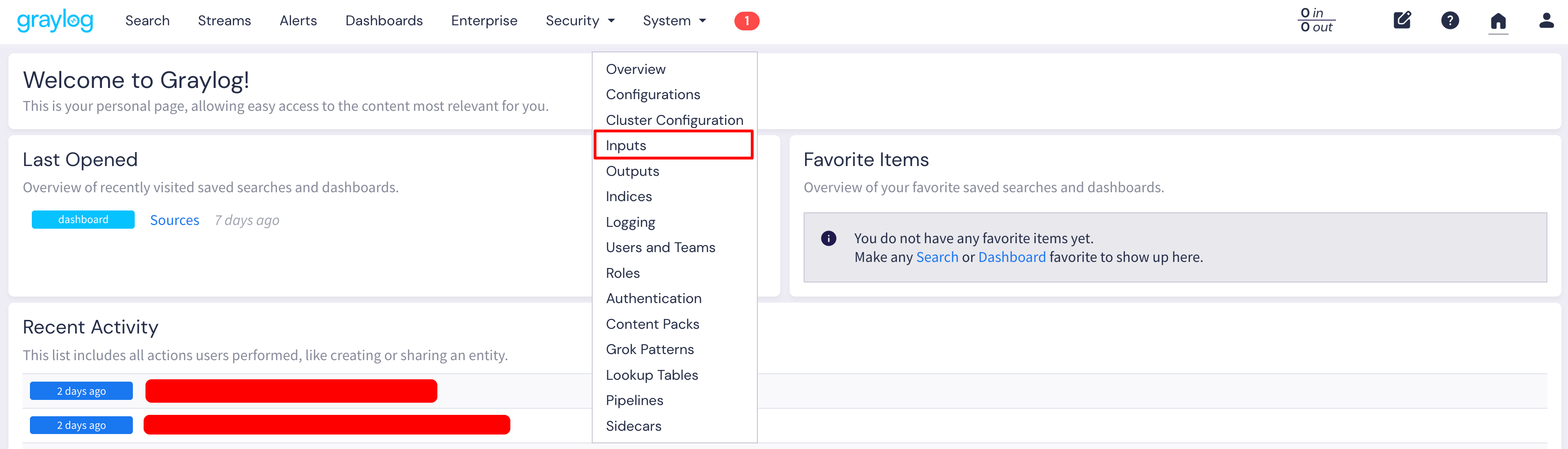
- Log in to your Graylog instance and navigate to System > Inputs.
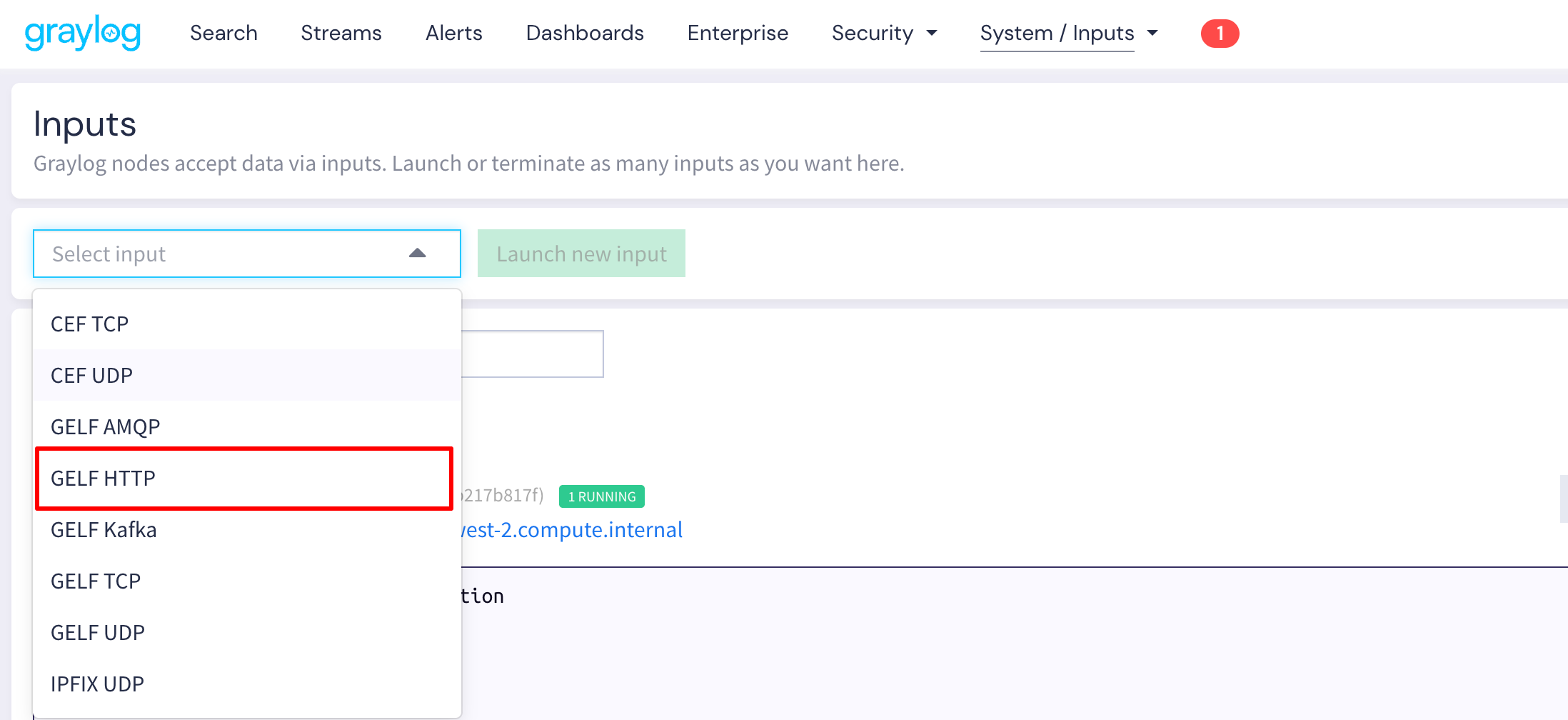
- From the dropdown menu, select GELF HTTP and click Launch new input.
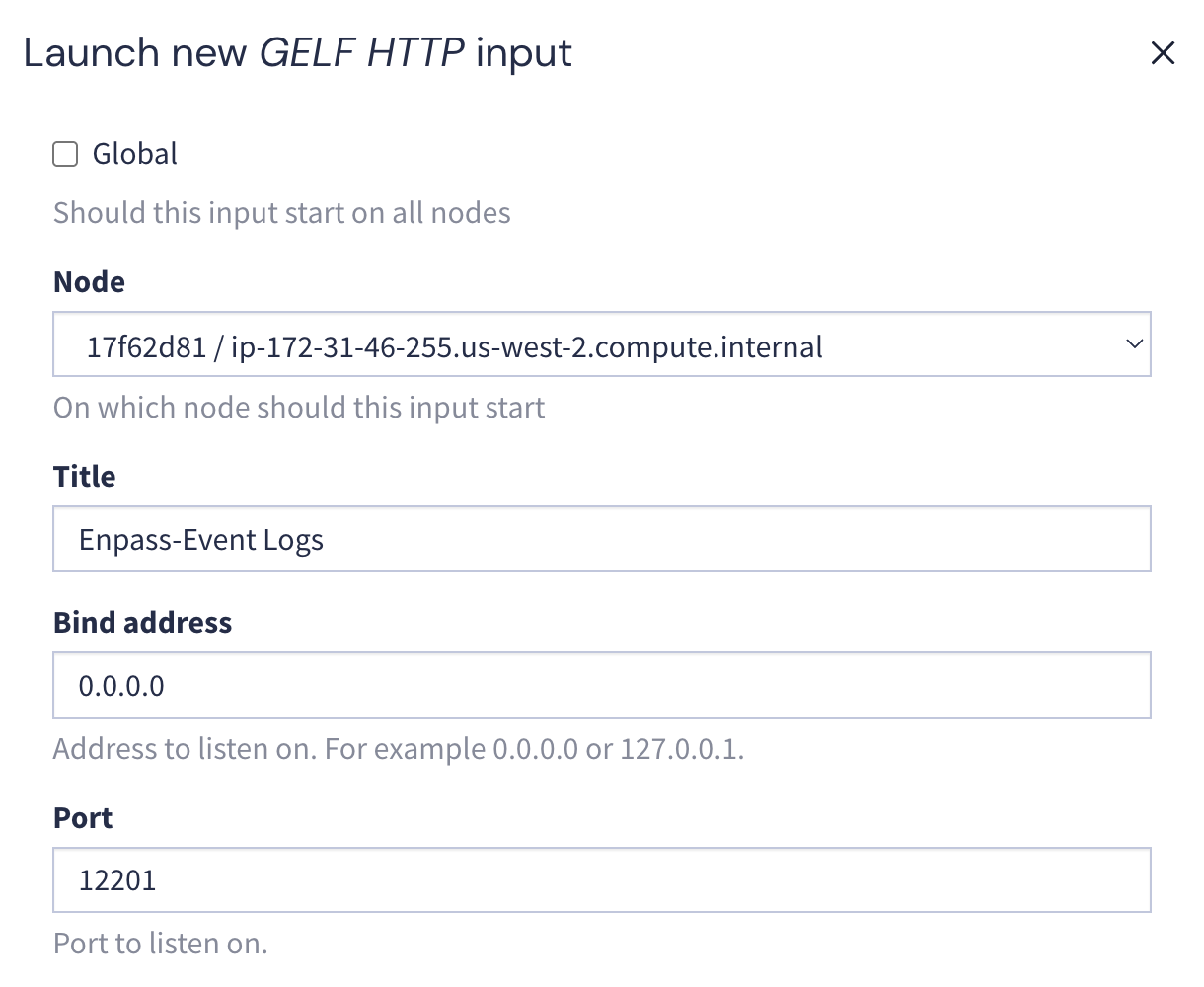
- In the configuration modal, provide the following details:
- Title: A descriptive name (e.g., Enpass-Event-Logs)
- Port: A unique port number (e.g., 12201)
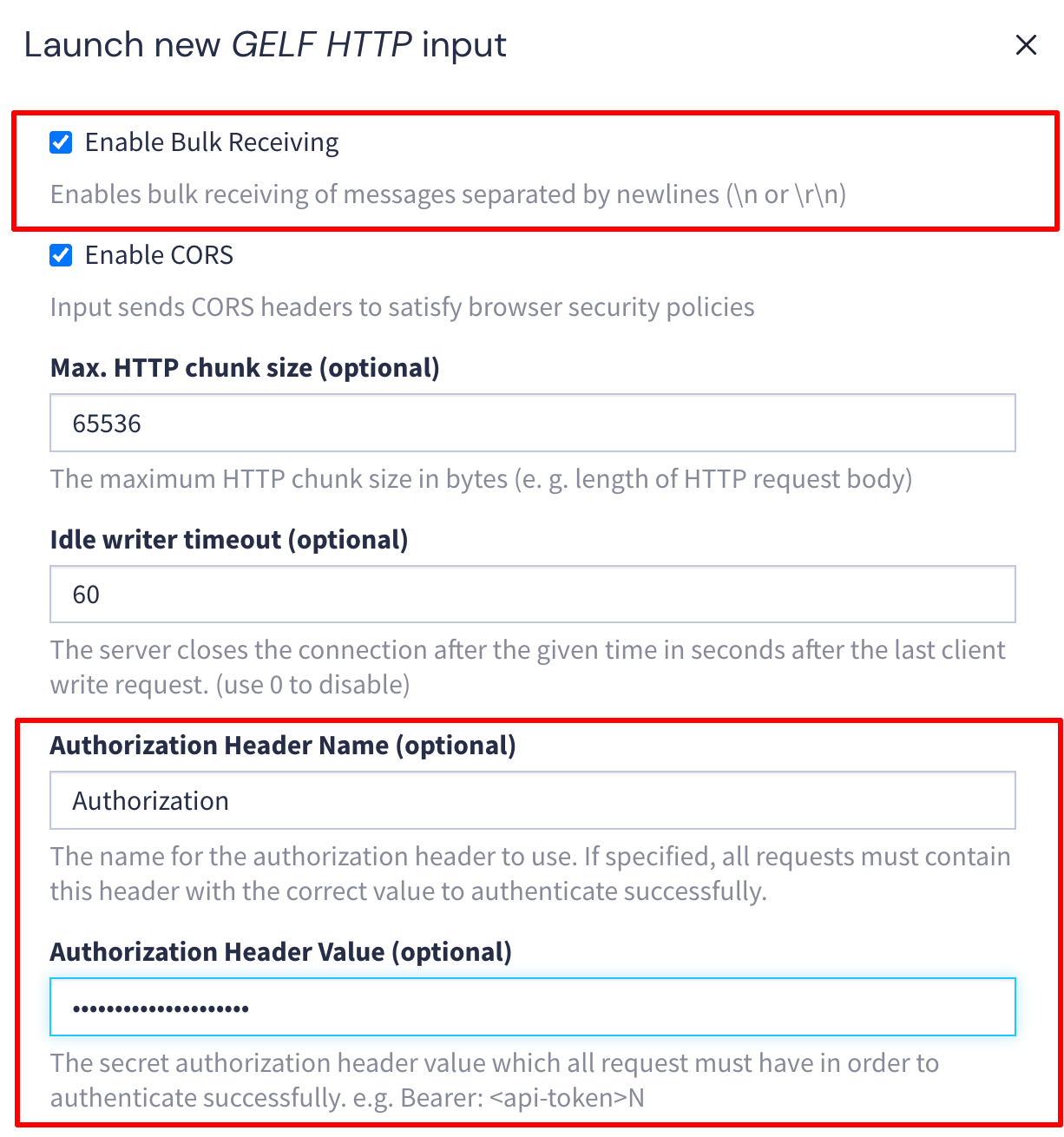
- Enable Bulk Receiving: Check this box
- Authorization Header Name: Enter Authorization
- Authorization Header Value: Enter Bearer <secret_token>
Replace <secret_token> with your self-generated secret API token (Create any secure random string. e.g., Bearer my-secure-random-token-12345)
Save this token securely as you'll need it for the Admin Console setup in Step 5
- Leave all other fields at their default values.
- Click Launch input.
This creates an HTTP input endpoint in Graylog. The endpoint URL will be in the format: http://<graylog-ip>:<port>/gelf