SIEM Integration with Graylog
Pre-requisites
To begin integrating Enpass with Graylog,ensure that you have configured GELF HTTP Input (Graylog Extended Log Format over HTTP - Graylog Documentation) and it’s following details:
- HTTP Endpoint URL
- Secret Token
Configure Enpass Admin Console to Send Event Logs to Graylog
- Log in to your Enpass Admin Console.
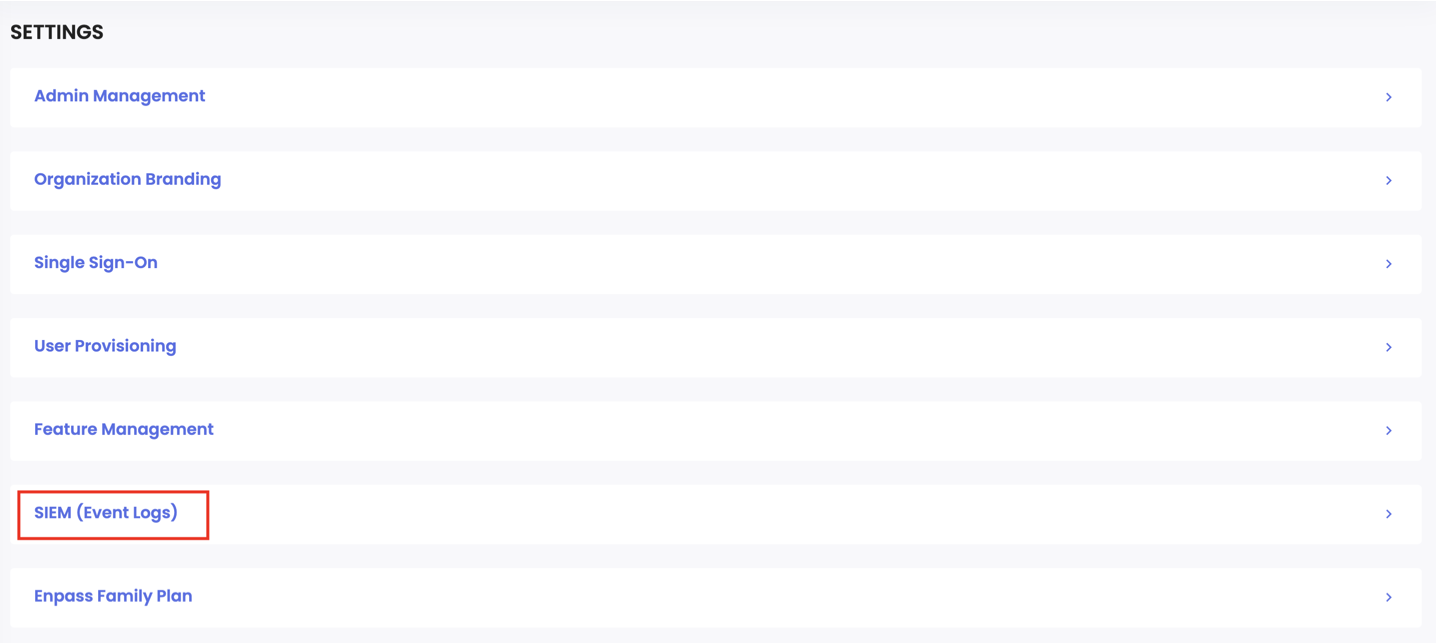
- Navigate to Settings > SIEM (Event Logs)
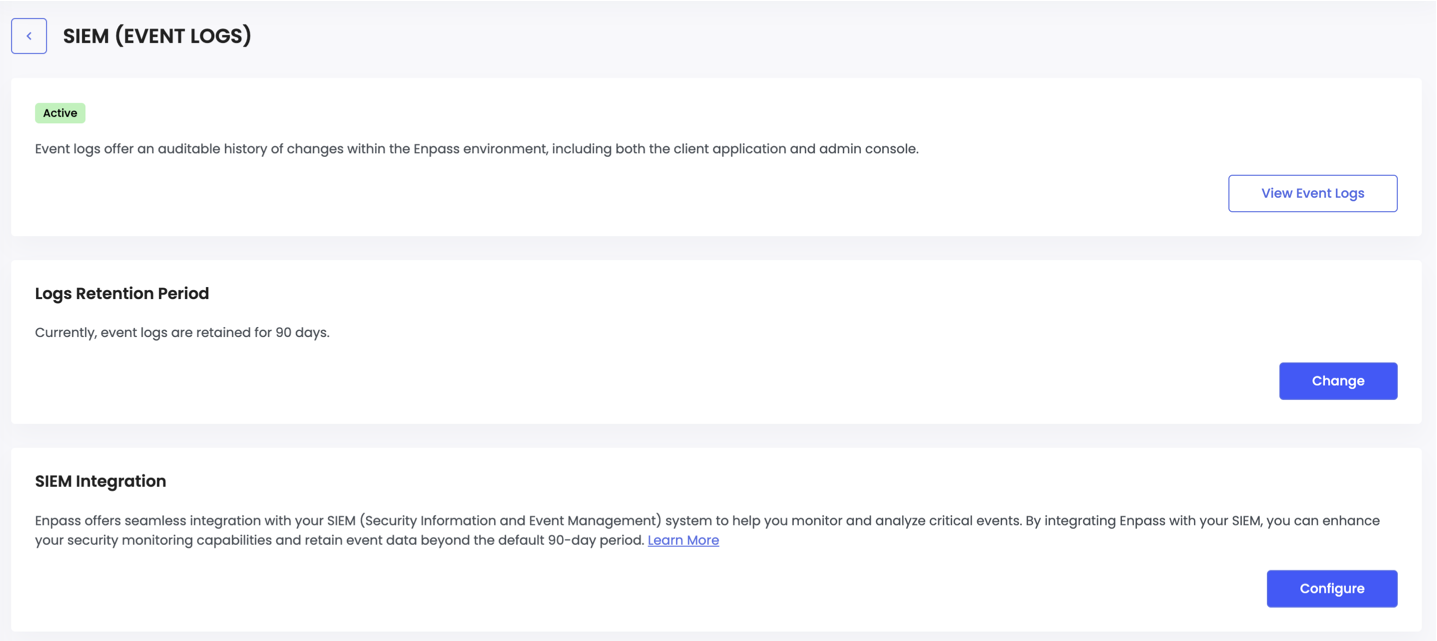
- Click the Configure button under the SIEM Integration section.
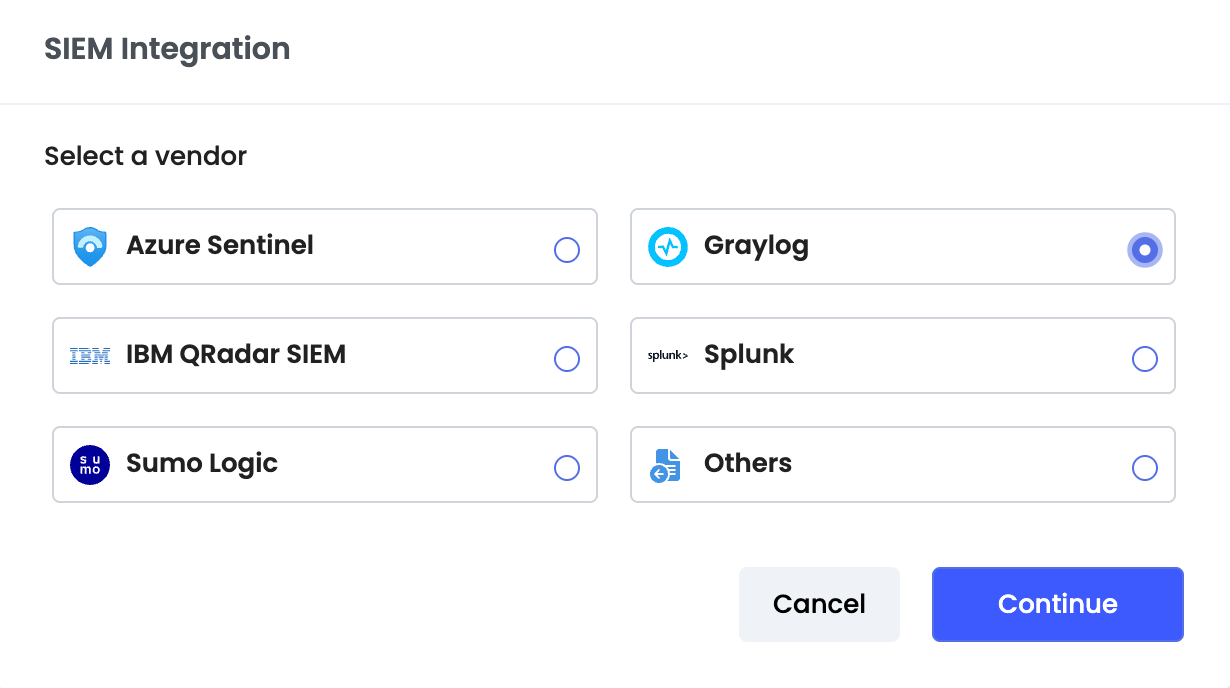
- Select Graylog then click Continue.
- Enter the following details:
- URL: Enter your GELF Log Ingetion URL
- Token: Enter your secret token ( System automatically adds "Bearer" prefix, so enter only the token value)
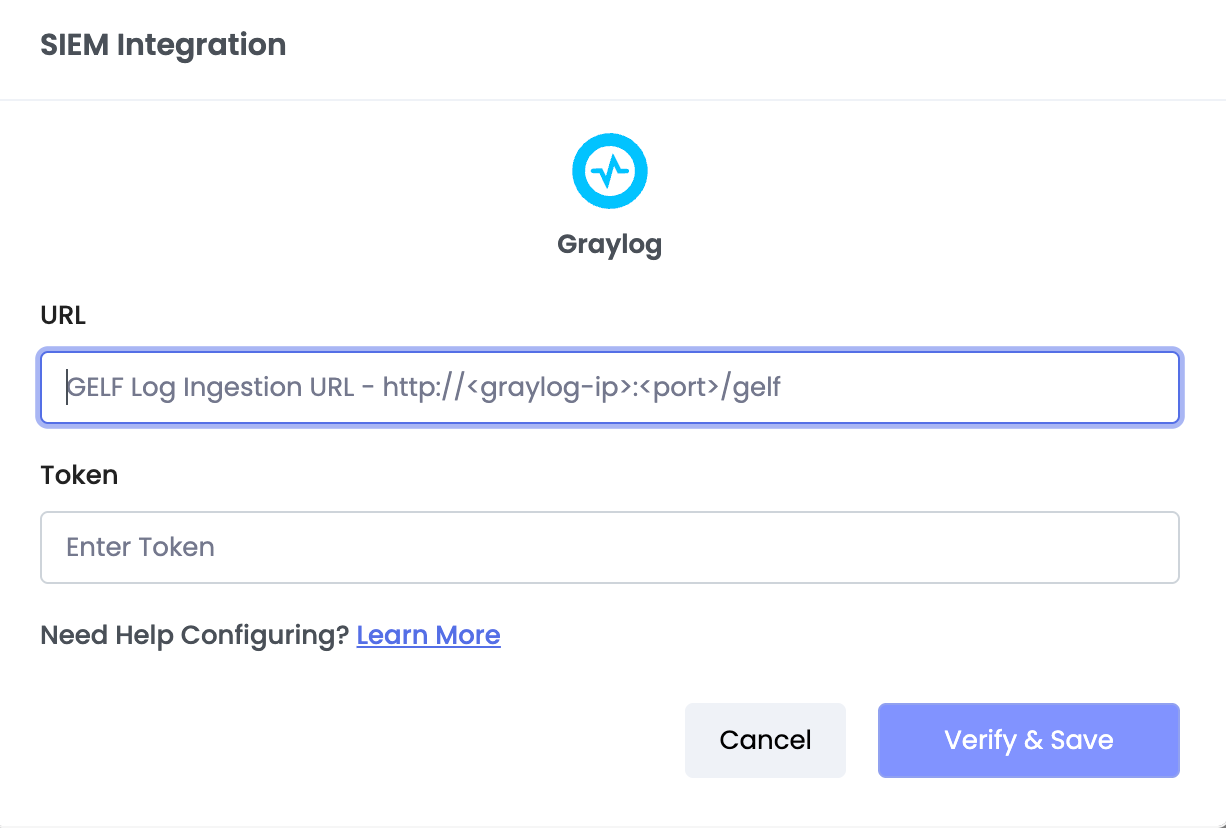
- Click Verify & Save to complete the integration.
Once configured, Enpass will begin sending event logs to your Graylog server automatically.